Introduction
Welcome to Docmost, an open-source, enterprise-ready collaborative wiki and documentation software. Designed for seamless real-time collaboration, multiple users can work on the same page at the same time in real-time without overwriting each other.
Docmost is an open-source alternative to the likes of Notion and Confluence. Whether you're managing a wiki, a knowledge base, or extensive project documentation, Docmost provides the tools you need to create, collaborate, and share knowledge effortlessly. Docmost is fully self-hosted and can run in air-gapped environments with no external dependencies.
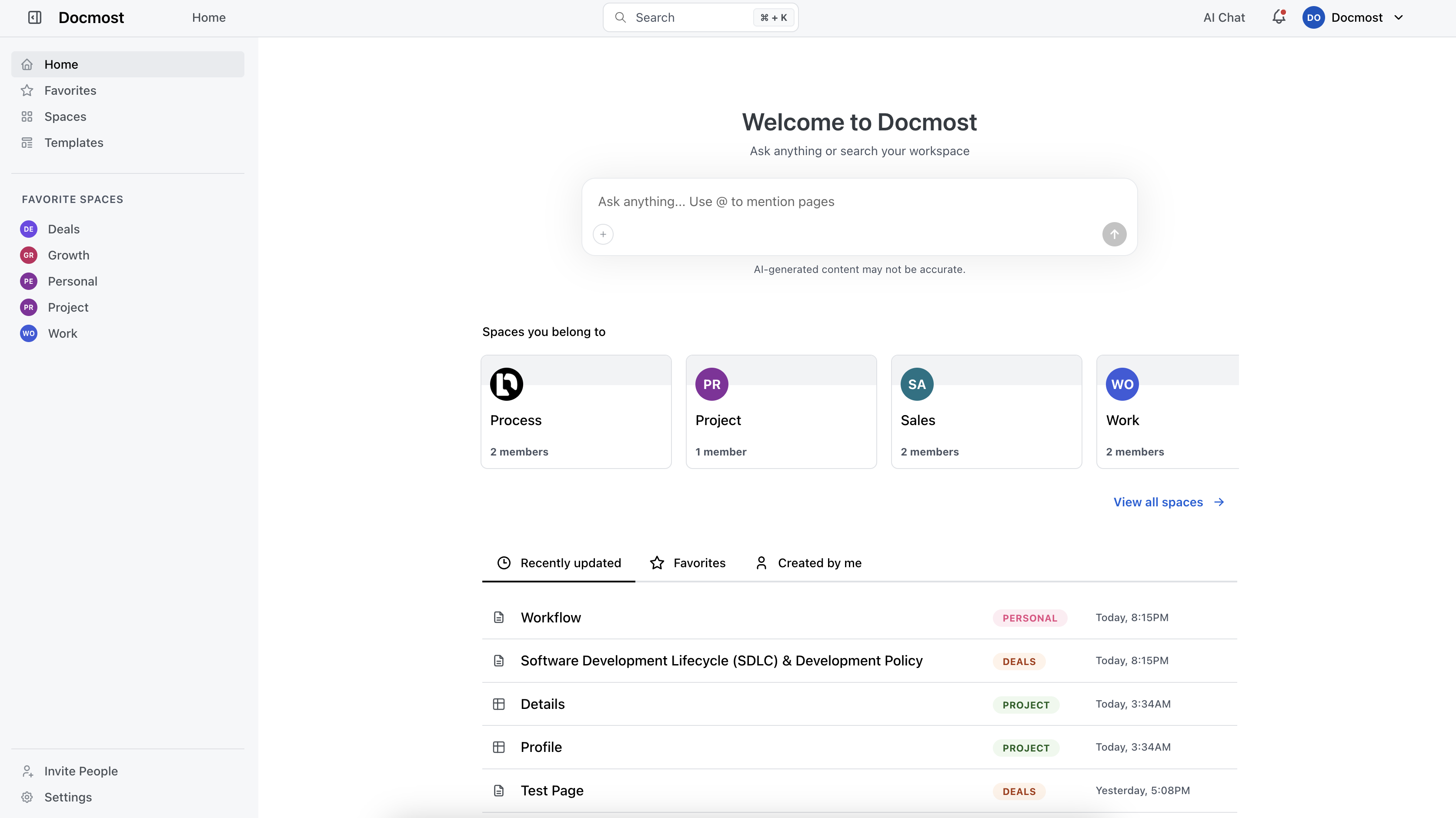
Docmost has support for Spaces. You can create Spaces for different teams, projects, or departments depending on your needs. Each Space comes with its own permissions. With an optional enterprise edition, Docmost scales to meet the needs of larger organizations with SSO, AI, API access, and more.
Features
- Collaborative Real-time Editor: Work together on pages in real-time.
- Bases (Table and Kanban views): Organize content as structured databases with properties, filters, sorts, and formulas.
- Spaces: Organize your pages by team, projects, or departments for better collaboration.
- Permissions Management: Easily control access to content with intuitive permissions at the workspace and space level.
- Groups: Grant unified permissions to users via groups.
- Nested Navigation: Nest, reorder, and drag-and-drop pages via the sidebar.
- Tables: Insert and edit tables with resizable columns, mergeable cells, header rows/columns, and cell background colors.
- Diagrams: Built-in support for Draw.io, Excalidraw, and Mermaid diagramming tools.
- Math Equations: Write inline and block-level math equations using KaTeX.
- Callouts and Toggle Blocks: Structure your content with callout notices and collapsible toggle blocks.
- Synced Blocks: Reuse the same content across multiple pages with blocks that stay in sync.
- Page Labels: Organize and categorize pages with customizable labels.
- Comments: Add comments to pages for better communication and feedback.
- Page History: Track changes with a comprehensive version history and restore previous versions.
- Public Sharing: Publicly share your pages, allowing anyone with the link to view them.
- Search: Full-text search across pages with space and type filters.
- File Attachment: Attach files to your pages for easy reference and sharing.
- Import / Export: Import and export pages in Markdown and HTML formats.
- ZIP archive import
- Notion import
- Confluence import
- PDF & DOCX import
- Print to PDF: Generate PDF versions of pages using the browser print dialog.
- @ Mentions: Mention team members and link to pages directly in the editor.
- Markdown Shortcuts: Type Markdown syntax directly in the editor and it converts to rich text automatically.
- Keyboard Shortcuts: Full set of keyboard shortcuts for formatting, navigation, and editor actions.
- Dark Mode: Switch between light, dark, and system themes.
- Read/Edit Mode: Set a default page mode to prevent accidental edits.
- Translations: Available in 12+ languages. 🇺🇸 🇨🇳 🇫🇷 🇩🇪 🇮🇹 🇯🇵 🇰🇷 🇧🇷 🇷🇺 🇪🇸 🇳🇱 🇺🇦
Authentication
- Email and password
- LDAP
- SSO via SAML / OIDC
- MFA via TOTP
Paid Editions Features
- Bases (Table and Kanban views) — Organize content as structured databases with properties, filters, sorts, and formulas.
- SSO (SAML 2.0 / OIDC) — Integrate Microsoft Entra ID, Okta, OneLogin, and more.
- LDAP — Authenticate users against your LDAP directory.
- SCIM provisioning — Automate user and group provisioning, updates, and deactivation through your identity provider.
- MFA (TOTP) — Multi-factor authentication with authenticator apps.
- AI — AI Chat, AI-powered writing assistance (Ask AI), AI-powered search (AI Answers), and MCP. Use cloud models or local LLMs.
- API — REST API with personal API keys and admin key management.
- Full-text search in attachments — Search content inside PDF and DOCX file attachments.
- Resolve comments — Mark comment threads as resolved.
- Disable public sharing — Control public sharing at the workspace or space level.
- Confluence importer — Import Confluence spaces with preserved formatting, hierarchy, and attachments.
- DOCX importer — Import Microsoft Word documents.
- PDF importer — Import PDF files into pages.
- Templates — Create and reuse page templates across your workspace.
- Page-level permissions — Control access with granular view and edit permissions on individual pages and spaces.
- Page verification & approval workflow — Review, verify, and approve content to ensure documentation stays accurate and up to date.
- Priority support — Direct email support.
- You can generate a free trial license key at https://customers.docmost.com.
- [Purchase enterprise edition].
FAQ
How do I install Docmost?
We have written an installation guide for you. You can find it on the installation page.
Do you have a cloud version if I don't want to host it myself?
Yes! You can get started with our cloud version at https://app.docmost.com.
What license does Docmost use?
Docmost is licensed under the open-source AGPL 3.0 License.
Commercial features are available under a Business or Enterprise license.
Do you have an enterprise version? Yes. You can get a Business or Enterprise trial license key at https://customers.docmost.com. To purchase, contact [email protected].
Got anymore questions?
Feel free to email the founder: [email protected].