SAML
Edition: Enterprise
Docmost supports authentication via the Security Assertion Markup Language (SAML 2.0), allowing integration with identity providers (IdPs) that support the SAML protocol.
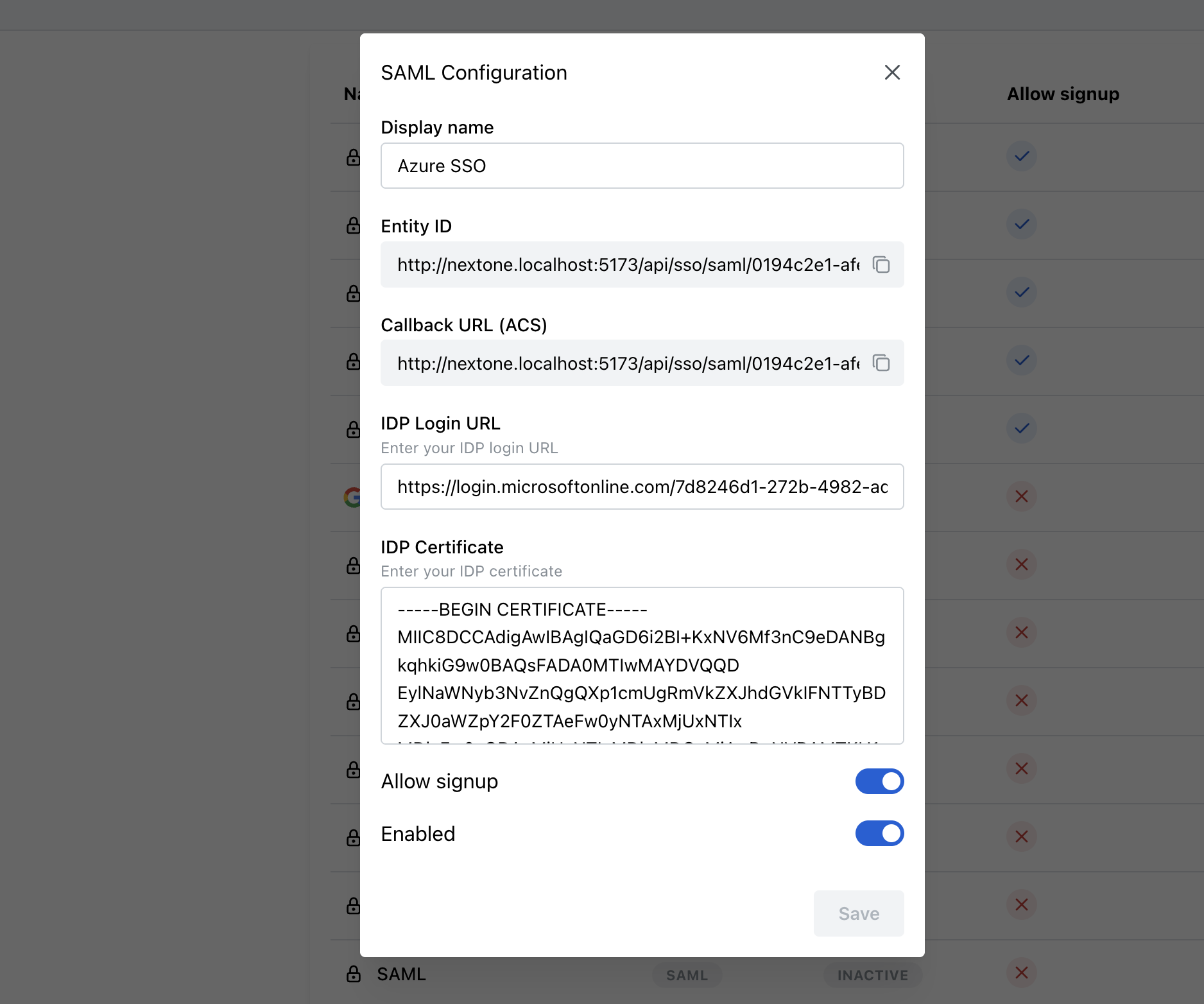
How to configure SAML 2.0
-
Navigate to Security Settings
- Go to Settings → Security & SSO in your Docmost dashboard.
-
Create a New SSO Integration
- Click on the "Create SSO" button.
- Select "SAML" from the dropdown menu. This opens a configuration popup.
-
Configure Your SAML Integration
- Provide a descriptive Display Name for this integration (e.g., "Company SAML SSO").
-
Configure Your Identity Provider (IdP)
- From Docmost, copy the following fields into your IdP’s configuration:
- Entity ID: Docmost’s unique identifier provided in the configuration popup.
- Callback URL (ACS): Assertion Consumer Service URL provided by Docmost.
Ensure these URLs are correctly configured in your Identity Provider settings.
- From Docmost, copy the following fields into your IdP’s configuration:
-
Enter Your Identity Provider (IdP) Details in Docmost
- IDP Login URL: Paste the login URL from your IdP, which users will be redirected to for authentication.
- IDP Certificate: Paste your IdP’s public X.509 certificate text.
-
Additional Configuration Options
- To automatically provision users on first login, enable the "Allow Signup" option.
- Activate this integration immediately by toggling "Enabled".
-
Save Your Configuration
- Click "Save" to finalize your settings.
Once successfully configured, your SAML 2.0 provider will appear on Docmost's login page, allowing users to authenticate via your configured Identity Provider.
AD FS and Windows Integrated Authentication
By default, Docmost requests a PasswordProtectedTransport authentication context, which forces AD FS to show its forms login. To let AD FS use Windows Integrated Authentication (Kerberos) for intranet clients, set SAML_DISABLE_REQUESTED_AUTHN_CONTEXT=true on the server.
Group Synchronization
How Group Sync Works
When group synchronization is enabled, Docmost automatically manages user group memberships based on the group claims received from your SAML provider on each login.
Docmost reads groups from any of the following SAML attributes:
groups/GroupsmemberOf/memberofroles/Roleshttp://schemas.xmlsoap.org/claims/Grouphttp://schemas.microsoft.com/ws/2008/06/identity/claims/groupshttp://schemas.xmlsoap.org/ws/2005/05/identity/claims/rolehttp://schemas.microsoft.com/ws/2008/06/identity/claims/role
Group values can be a multi-value attribute or a single comma- or semicolon-separated string.
⚠️ Groups must be pre-created in Docmost: SAML group synchronization does NOT create new groups. You must manually create groups in Docmost with names that match the values sent by your IdP. Matching is case-insensitive.
Setting Up Group Sync
-
Configure your Identity Provider to release group claims on the SAML assertion using one of the attribute names listed above. Values must be the group names, not opaque IDs.
-
Create Groups in Docmost:
Example SAML group claim values:
- Engineering
- Marketing
- HR-Team

Create corresponding Docmost groups:
- Engineering
- Marketing
- HR-Team
Learn more about Docmost Groups Documentation.
-
Enable Group Sync in the SAML provider configuration.